
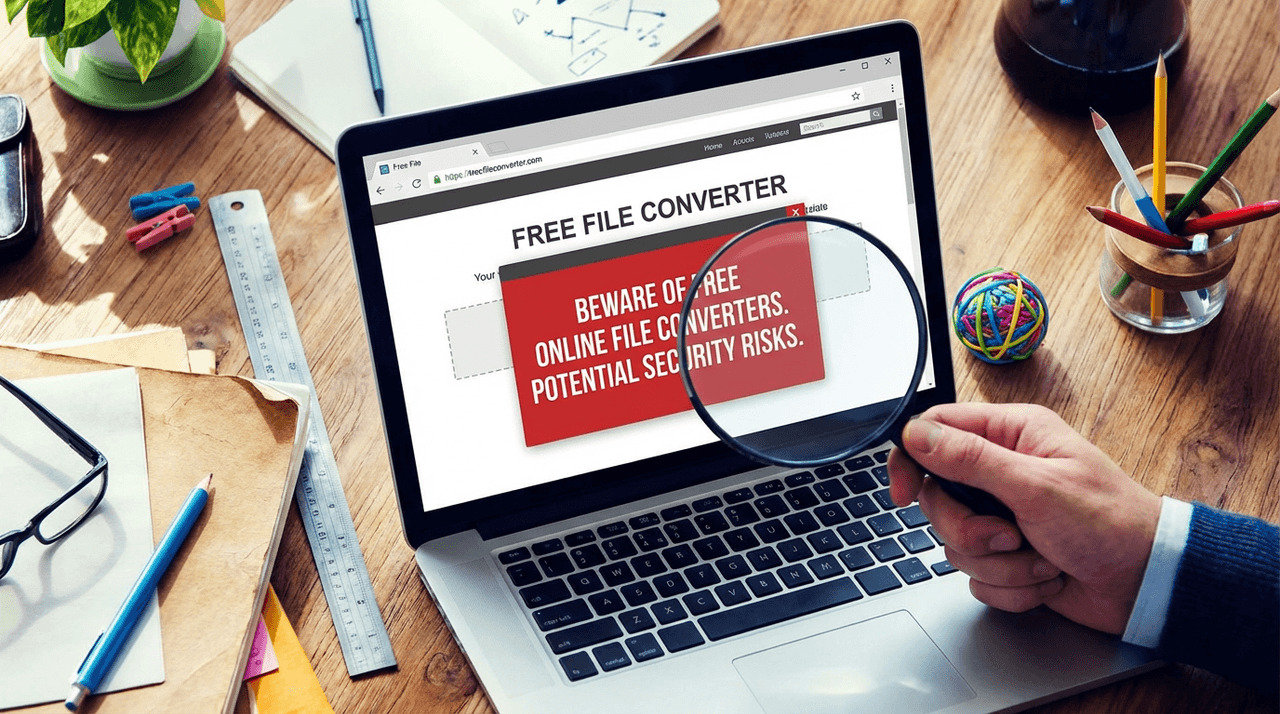


Imagine needing to convert a file quickly for work, and in your haste, you stumble upon a free online file converter. You think nothing of it - until you realize the software is not only ineffective but has also compromised your entire digital security. This post explores a growing threat from seemingly harmless tools to ensure you’re equipped with the necessary knowledge to protect yourself online.
The Rising Threat of Online File Converters
Have you ever used a free online file converter? If so, you might want to think twice before doing it again. The FBI has recently issued a warning about the increasing number of malicious file converters that can infect your computer with malware. This isn't just a minor inconvenience; it can lead to serious issues like identity theft and ransomware attacks.
FBI's Warning
The FBI's Denver Field Office has raised alarms about these scammy websites. They lure users in with promises of free file conversions. But instead of delivering a simple service, they often load harmful malware onto unsuspecting victims' devices. This malware can take various forms, including:
- Ransomware: This type of malware locks your files and demands payment for their release.
- Adware: This software bombards you with unwanted advertisements.
- Potentially Unwanted Programs (PUPs): These programs can slow down your computer and may collect your personal information without your consent.
According to the FBI, there has been a staggering 30% increase in malware infections linked to free converters in the last year alone. This statistic should make anyone think twice before using these services.
Common File Types Targeted
Cybercriminals often target popular file types to attract users. Some of the most common file conversions include:
.docto.pdf.pdfto.doc- Combining multiple images into a single
.pdffile
These file types are familiar to most users, making them easy targets for cybercriminals. The converters may seem to work perfectly fine, leading users to believe they are safe. But in reality, they could be downloading hidden malware.
A Real-Life Anecdote
Let me share a story that illustrates the dangers of these converters. A friend of mine, let's call her Sarah, needed to convert a document for work. She found a free online converter and thought it was a quick solution. After using it, she noticed strange activity on her bank account. Within days, her identity was stolen. The cybercriminals accessed her personal information, including her Social Security Number and banking credentials, all because she used that seemingly harmless converter.
Sarah's experience is a stark reminder of how easily we can fall victim to these scams. It’s not just about losing files; it’s about losing your identity and financial security.
Types of Malware to Watch Out For
As we dive deeper into this issue, it's crucial to understand the specific types of malware associated with these converters:
- Ransomware: Locks your files and demands payment.
- Adware: Floods your device with ads, slowing it down.
- Information Stealers: These can gather sensitive data from your device.
These threats can be hidden in the files you download. You might think you’re just getting a converted document, but you could be opening the door to a world of trouble.
Education is Key
Mark Michalek, an FBI Denver Special Agent in Charge, emphasizes the importance of education in combating these threats. He said,
“The best way to thwart these fraudsters is to educate people so they don’t fall victim to these fraudsters in the first place.”This statement rings true. Awareness is the first step in protecting ourselves from these online dangers.
We need to be vigilant. Always question the reliability of the services we use. It’s essential to distinguish between legitimate converters and fraudulent ones. If you suspect you’ve fallen victim to a malicious converter, take immediate action. Contact your financial institutions, change your passwords, and report the incident to the Internet Crime Complaint Center.
In conclusion, while online file converters may seem convenient, they can pose significant risks. The FBI's warning should serve as a wake-up call for all of us. Protect your personal information and stay informed about the potential dangers lurking online.
Identifying Malicious File Conversion Services
In our digital age, file conversion services are everywhere. They promise quick and easy transformations of documents, images, and more. But beware! Not all of them are safe. Some can actually harm your device. So, how do we spot the bad apples? Let’s dive into the key warning signs of potentially harmful converter sites.
Key Warning Signs
When using online file converters, keep an eye out for these red flags:
- Unusual URLs: If the website address looks suspicious or has strange characters, think twice before proceeding.
- Excessive Ads: A site cluttered with ads is often a sign of malware. Legitimate services usually have minimal advertising.
- Lack of HTTPS: Always check for a secure connection. If there’s no “https://” in the URL, it’s best to steer clear.
- Too Good to Be True: If a site promises free conversions for every file type without any limitations, it’s likely a trap.
These signs are just the tip of the iceberg. But they can help you avoid potential pitfalls. Now, let’s talk about the role of user reviews and ratings in determining safety.
The Role of User Reviews
User reviews can be a goldmine of information. They provide insights into others' experiences with a service. Here’s how to use them effectively:
- Look for Consistency: If multiple users report malware or poor service, take that seriously.
- Check the Dates: Recent reviews are more relevant. Older reviews might not reflect the current state of the site.
- Watch for Fake Reviews: Be cautious of overly positive reviews that seem generic. They might be planted by the site owners.
In my experience, taking the time to read reviews can save you from a lot of headaches. It’s like asking a friend for advice before trying a new restaurant. Wouldn’t you want to know if it’s worth it?
Browser Extensions for Safety
Another layer of protection comes from browser extensions. These tools can help prevent access to known bad sites. Here’s how:
- Malware Blockers: Extensions like Malwarebytes Browser Guard can block harmful sites before you even click on them.
- Ad Blockers: These can reduce the number of ads you see, making it harder for malicious ads to load.
- Site Reputation Checkers: Some extensions provide real-time safety ratings for websites you visit.
Using these tools is like having a security guard for your online activities. They can alert you to dangers you might not see otherwise.
Proactive Measures
It’s not just about avoiding bad sites. We also need to take proactive measures. Here are some tips:
- Cross-Check Software: Always verify any software or service with cybersecurity resources. Websites like the FBI’s Internet Crime Complaint Center can provide valuable insights.
- Active Anti-Malware Protection: Keep your devices protected with up-to-date anti-malware software. This is crucial in today’s threat landscape.
As the FBI has highlighted, many domains are involved in scams. For example, sites like imageconvertors.com, convertitoremp3.it, and convertscloud.com have been flagged for malicious activities. Knowing this can help you avoid falling victim to their traps.
Conclusion
In the end, education is key. The more we know about the signs of malicious file conversion services, the better we can protect ourselves. As FBI Denver Special Agent in Charge Mark Michalek stated, “The best way to thwart these fraudsters is to educate people so they don’t fall victim to these fraudsters in the first place.”
So, let’s stay informed and vigilant. Our digital safety depends on it!
Best Practices for Safe File Conversion
In today’s digital age, file conversion is a common task. We often need to change file formats for various reasons, like sharing documents or saving space. However, not all file conversion methods are safe. In fact, some can lead to serious security risks, including malware infections and identity theft. So, how can we ensure safe file conversion? Let’s explore some best practices.
1. Alternative Trusted Resources for File Conversions
When it comes to file conversion, it’s crucial to choose reliable resources. Here are some trusted options:
- Adobe Acrobat: This is a well-known tool for converting PDF files. It’s secure and widely used.
- CloudConvert: This online service supports many formats and has a good reputation for security.
- Zamzar: Another popular choice, Zamzar allows you to convert files without downloading software.
- FileZigZag: This is a free online converter that’s easy to use and doesn’t require installation.
Always check reviews and ratings before using any online converter. If it sounds too good to be true, it probably is. Remember, safety first!
2. Steps to Take If You've Already Fallen Victim to Malware
What if you’ve already used a suspicious file converter and suspect malware? Don’t panic. Here’s what you should do:
- Disconnect from the Internet: This can help prevent further data loss.
- Run a Malware Scan: Use a trusted antivirus program to scan your device. If you don’t have one, consider downloading a reputable tool.
- Change Your Passwords: Do this for all accounts, especially financial ones. Use a clean device to avoid re-infection.
- Monitor Your Financial Accounts: Keep an eye on your bank statements and credit reports for any unusual activity.
- Report the Incident: Contact your financial institutions and report the malware to the Internet Crime Complaint Center.
Taking these steps promptly can help mitigate the damage caused by malware.
3. The Importance of Changing Passwords and Monitoring Financial Accounts
After a malware incident, changing your passwords is vital. Why? Because many malware types are designed to steal sensitive information, including passwords. If you think your credentials are compromised, change them immediately.
Additionally, monitoring your financial accounts is crucial. Regularly check for unauthorized transactions or changes. If you notice anything suspicious, report it right away. It’s better to be safe than sorry!
4. Recommended Premium Antivirus Tools and Browser Extensions for Protection
To protect yourself from future threats, consider investing in premium antivirus tools. Here are a few highly recommended options:
- Bitdefender: Known for its strong malware protection and user-friendly interface.
- Norton: Offers comprehensive security features, including a password manager.
- Kaspersky: Provides excellent malware detection rates and a variety of security tools.
In addition to antivirus software, using browser extensions can enhance your protection. Tools like uBlock Origin and HTTPS Everywhere help block malicious sites and ensure secure connections.
5. How Identity Theft Protection Services Work in the Aftermath
If you’ve fallen victim to identity theft, identity protection services can be a lifesaver. These services monitor your personal information across the web. They alert you if your data appears in suspicious places, like the dark web. Some services even offer recovery assistance if your identity is stolen.
Statistics show that identity protection services can significantly reduce the impact of a breach. They help you stay informed and take action quickly, which is crucial in today’s fast-paced digital world.
6. Tips for Using Secure File Formats and Conversion Tools
To further enhance your safety, consider these tips:
- Use Secure File Formats: Formats like PDF and DOCX are generally safer than others.
- Keep Software Updated: Regular updates can patch vulnerabilities that malware exploits.
- Educate Yourself: Stay informed about the latest threats and safe practices.
By following these tips, you can reduce your risk of malware infections and identity theft.
In conclusion, safe file conversion is crucial in our digital lives. By using trusted resources, taking immediate action if you suspect malware, and monitoring your accounts, you can protect yourself from potential threats. Remember, education is key. Stay informed, stay safe, and always prioritize your digital security.