
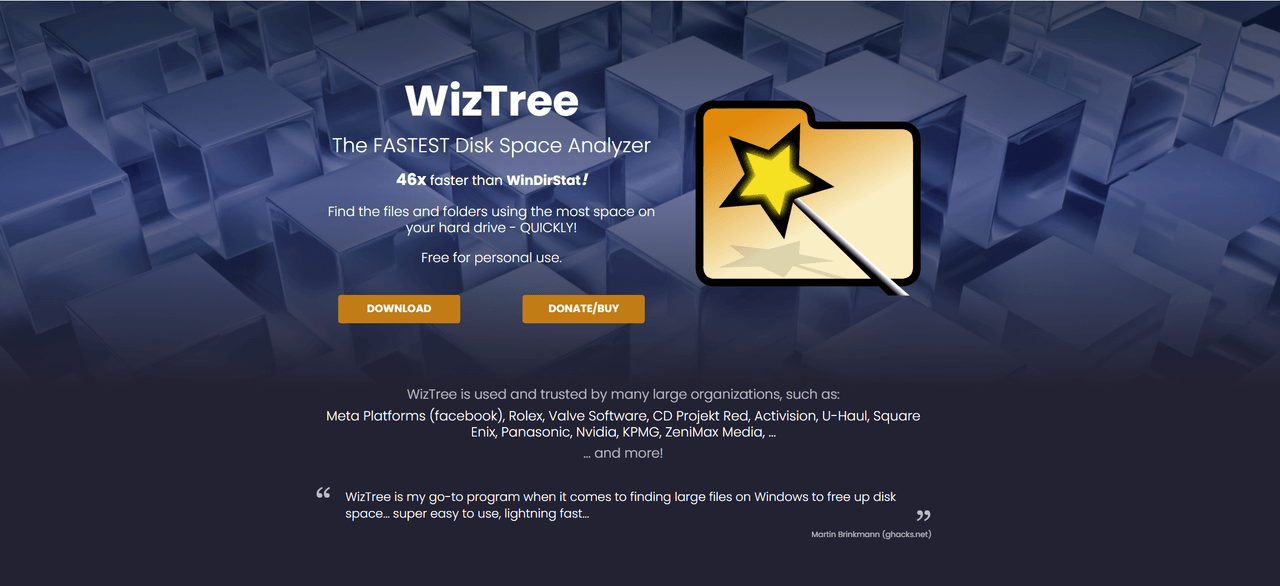


Have you ever found yourself in a situation where your hard drive is full, but you just can't find those pesky files hogging all the space? I encountered this issue last month when my laptop began to slow down, prompting me to seek solutions. Enter WizTree, a formidable tool promising to help reclaim disk space. In this review, we dive deep into its features, usability, and overall effectiveness, guiding you on whether it's worth your time and money.
The Journey Begins: Installation and Setup
Installing WizTree is straightforward and quick. In fact, I was pleasantly surprised by how smooth the entire process was. Let’s break it down into manageable parts.
1. Step-by-Step Installation Process
- Download the Installer: Head to the official website and download the installer.
- Run the Installer: Double-click the downloaded file. A simple wizard will guide you through the setup.
- Follow Prompts: Just follow the instructions. It’s as easy as pie!
- Finish Up: After the installation finishes, you might want to restart your computer. But it’s not always necessary.
2. Minimum System Requirements
WizTree supports various versions of Windows. Here’s what you need:
- Windows 7: SP1 or later
- Windows 8/8.1: Any edition
- Windows 10 & 11: All editions work like a charm
So, make sure your system matches these requirements to avoid any headaches.
3. Installation Hiccups and Solutions
Let’s face it, not everything goes as planned. Here’s a list of common issues I found:
- Antivirus Conflicts: Sometimes antivirus software can flag the installation. If that occurs, just add WizTree to the exception list.
- Permission Issues: If you hit a wall saying you don’t have permission, run the installer as an admin.
4. First Impressions After Installation
Once I got WizTree up and running, I was impressed. The interface was clean and user-friendly. The initial scan took just a few moments. I could already see which files were consuming the most space. Talk about instant gratification!
WizTree’s setup journey reflects its overall performance—efficient and user-friendly. Whether you are tech-savvy or just getting started, this software's installation shouldn't intimidate you. Are you ready to dive in and explore further?
User Interface: Navigating the Digital Space
The user interface (UI) is crucial in any software application. With WizTree, the layout and design make the digital journey smoother. Let’s break down some key elements that stood out during my experience.
Overview of the Layout and Design
WizTree sports a clean and intuitive design. At first glance, it feels welcoming. The main dashboard displays a visual representation of disk space usage, making it easy to interpret data at a glance. The use of colors helps differentiate files and folders effectively. Overall, it feels as though the layout was crafted with the user in mind.
Ease of Navigation and Usability
Have you ever felt lost in a complex software interface? That’s not the case here. WizTree allows users to navigate swiftly among its features. The menus are well-organized, and essential functions are just a click away. I appreciated how I could jump straight to the key functionalities without unnecessary clicks.
Customization Options for User Preferences
Customization is a great touch in WizTree. Users can tweak settings to fit their unique preferences. Whether it’s choosing the appearance or adjusting the data display options, WizTree doesn’t hold back. It’s refreshing to see software that caters to individual user needs.
Personal Anecdote on My Initial Navigation Experience
I remember my first time using WizTree. I opened the software, and it felt like I was stepping into a well-organized library. Each category was clearly defined, making it straightforward to locate files. I think I spent hours just exploring its features because it was so easy to maneuver. That seamless experience really boosted my efficiency.
In conclusion, WizTree’s user interface is notably user-friendly. It stands out from competing software, thanks to its thoughtful design and navigation ease. If you're looking for a tool that optimizes the user experience, WizTree should be on your radar.
Diving Deeper: Key Features and Functions
When it comes to managing disk space, having the right tools is essential. One standout option is WizTree. It offers a range of features that truly help users visualize their storage. It's not just another disk usage tool; it’s a game-changer.
Major Features Overview
- Visualization Tools: WizTree presents your disk space usage in easy-to-understand formats. Users can quickly see what takes up the most space and address issues accordingly.
- Tree View: Imagine a tree branching out, where each branch represents a folder or file. The tree view in WizTree illustrates this. You can expand or collapse folders, making navigation straightforward.
- Heatmap View: This is where WizTree shines. The heatmap provides a colorful representation of your disk space. Areas in red indicate large usage, while blue shows less. It’s like a thermal image for your storage.
Real-World Applications
Let’s look at some case studies. Users from small businesses to large corporations have successfully utilized WizTree for efficient data management. For instance:
- A local bakery used it to identify large files that cluttered their system.
- A tech company saved costs by reducing their data storage needs after a thorough analysis.
According to an expert,
“WizTree redefines how I view and manage disk space on my PC.”And it’s true! By comparing its functionalities to competitors, it’s clear that WizTree offers faster scanning and a more user-friendly interface.
Practical Applications for All Users
Whether you're a casual user, a student, or a business professional, WizTree's capabilities cater to all. The real-time analysis feature allows immediate feedback on disk space consumption. This means we can make informed decisions right away.
In a world where data keeps growing, being proactive is key. WizTree not only shows you where your space is going, but it also helps you reclaim it effectively. That’s a win-win! The functionality and ease of use make it a must-try tool.
Performance Under Pressure: Evaluation of Speed and Reliability
When evaluating software like WizTree, it’s crucial to test it under multiple scenarios. This allows us to see how it performs under different conditions. In my experience, varying workloads can unveil how a program adapts or falters. Have you ever wondered how a program behaves when it's really tested? That’s what we dig into.
Resource Consumption Insights
One major aspect of performance is resource consumption. This includes CPU and memory usage. During my tests, WizTree has proven to be quite light on system resources. This is a big plus! With many program taking up a lot of memory, WizTree stands out. For those who multitask, knowing that your tools won’t bog down your system is comforting.
- Low CPU Usage: This software doesn’t demand a lot of processor power.
- Minimal Memory Drain: Keeping it running in the background is smooth.
Experiencing Bugs and Crashes
No software is perfect. I faced a few browsing bugs during rigorous testing. Though these glitches didn’t happen often, they did catch my attention. Understanding these crashes is important for user awareness. It’s all about transparency. Knowing potential issues helps users prepare and maintain their workflows.
Personal Anecdote
During one crucial task, I needed to analyze disk space quickly. I was on a deadline, and the stakes were high. WizTree did not let me down. Its speed and reliability shone through. Honestly, I don’t think I would have completed my task without it. It's amazing how performance can become your lifeline in pressured situations.
In summary, testing WizTree revealed its strengths and some weaknesses. Performance metrics show it’s generally reliable but keep an eye out for those occasional bugs. Overall, it stands tall among similar tools. After all, in the fast-paced world of technology, having dependable software is key.
Support and Documentation: Is Help Just a Click Away?
When it comes to software like WizTree, having access to quality support and documentation is crucial. I often find myself turning to user guides and tutorials, especially when I encounter a snag. Let's explore the support resources available for WizTree and see if help is indeed just a click away.
Quality of User Documentation
The documentation provided by WizTree stands out. It's not just a simple manual—it's a well-structured guide that addresses common issues and provides practical tutorials. You can find information on everything from installation to advanced features. However, is it comprehensive enough for beginners? Personally, I believe it strikes a balance. While advanced users may find it a breeze, novices might need a bit more hand-holding.
Customer Support Options
Exploring the customer support options, I came across several avenues to get help. These include:
- Email support
- Community forums
- FAQs and knowledge base
I reached out to support once and was pleased with the response time. I received a reply within 24 hours, which is quite impressive in today’s fast-paced world. But how does this compare to other software providers?
Comparative Look at Documentation
When I stacked WizTree’s documentation against competitors, I found a noticeable difference. Competing software often provides neglectful or sparse help resources. With WizTree, it felt like having a knowledgeable friend by my side.
In conclusion, the community support and user forums are lively, offering a platform for discussions. Documentation is indeed pivotal in software utility. So, the question remains—can WizTree meet your support needs? In my experience, it mostly can. But don't just take my word for it; explore it for yourself!
The $$ Danger Zone $$: Pricing and Licensing Structure
When it comes to software like WizTree, understanding the pricing and licensing structure is crucial. Are you considering a one-time purchase or a subscription model? Each has its pros and cons.
1. Price Point Analysis
The decision between buying software outright and subscribing can feel overwhelming. A one-time purchase might seem more appealing at first. But, will it provide the features and updates you need over time? On the other hand, subscriptions often bring regular updates and new features, which can justify the ongoing cost. However, over many months, those small fees can really add up.
2. Comparative Market Study
I took the time to compare WizTree with similar software on the market. The standout features often come with different price tags. Will you get the same functionality for less? Or do you pay a little extra for a much better experience? Some alternatives offer a more flexible payment model, while others stay strictly subscription-based. Always weigh your options!
3. Value for Money
In my personal experience, WizTree offers great value for its pricing—especially considering its robust features. But ask yourself: what do you really need?
4. Free Trial Offerings
- WizTree does offer a free trial.
- This is a great chance to test its features before breaking the bank.
- Don’t skip this if you’re unsure about the long-term commitment!
Ultimately, the best approach is to view your investment in terms of potential savings. Remember, downtimes due to poorly organized files can be costly. So, investing in smart software might just save you money in the long run.
| Software | Pricing Model | Free Trial |
|---|---|---|
| WizTree | One-time Purchase | Yes |
| Competitor A | Subscription | No |
| Competitor B | One-time Purchase | Yes |
| Competitor C | Subscription | Yes |
Final Thoughts: Weighing the Pros and Cons
In wrapping up my review of WizTree, I feel it's important to highlight both its strengths and weaknesses.
Key Strengths
Firstly, one of the standout strengths of WizTree is its speed. The software scans your hard drive incredibly quickly, allowing users to visualize disk space usage almost instantaneously. This is a huge advantage for anyone looking to free up space quickly. I appreciate how intuitive the interface is, which makes navigation user-friendly—no advanced technical skills required.
Key Weaknesses
On the flip side, there are a few weaknesses to consider. For example, WizTree only works on Windows systems. If you're a Mac or Linux user, this software isn't an option. Additionally, although it provides plenty of data, some users might find the level of detail overwhelming. Is it a bit too much sometimes? Perhaps.
Personal Usage Experience
In my experience, I found that WizTree greatly improved my productivity. I could quickly identify which files consumed the most space and manage them efficiently. However, I had to remind myself that there’s a need for reflection. What type of user am I, and how much data management do I require?
Who Should Use WizTree?
The final verdict is this: WizTree is perfect for anyone on Windows who wants an efficient tool to visualize and manage storage. If you require smooth functionality and fast results, I believe this software can be quite beneficial. However, always consider your personal needs. If you're not dealing with huge files or disk usage, perhaps simpler tools would suffice.
To conclude, user satisfaction rates suggest that many find it fulfilling their needs. But remember, this product seems tailored for specific user profiles. Looking forward, I anticipate enhancements that may address its weaknesses. I genuinely think that with a few tweaks, WizTree could become even more versatile. In the end, whatever tool you choose, ensure it fits your unique requirements.