
Flash Renamer
Software Review |Software| |Windows|
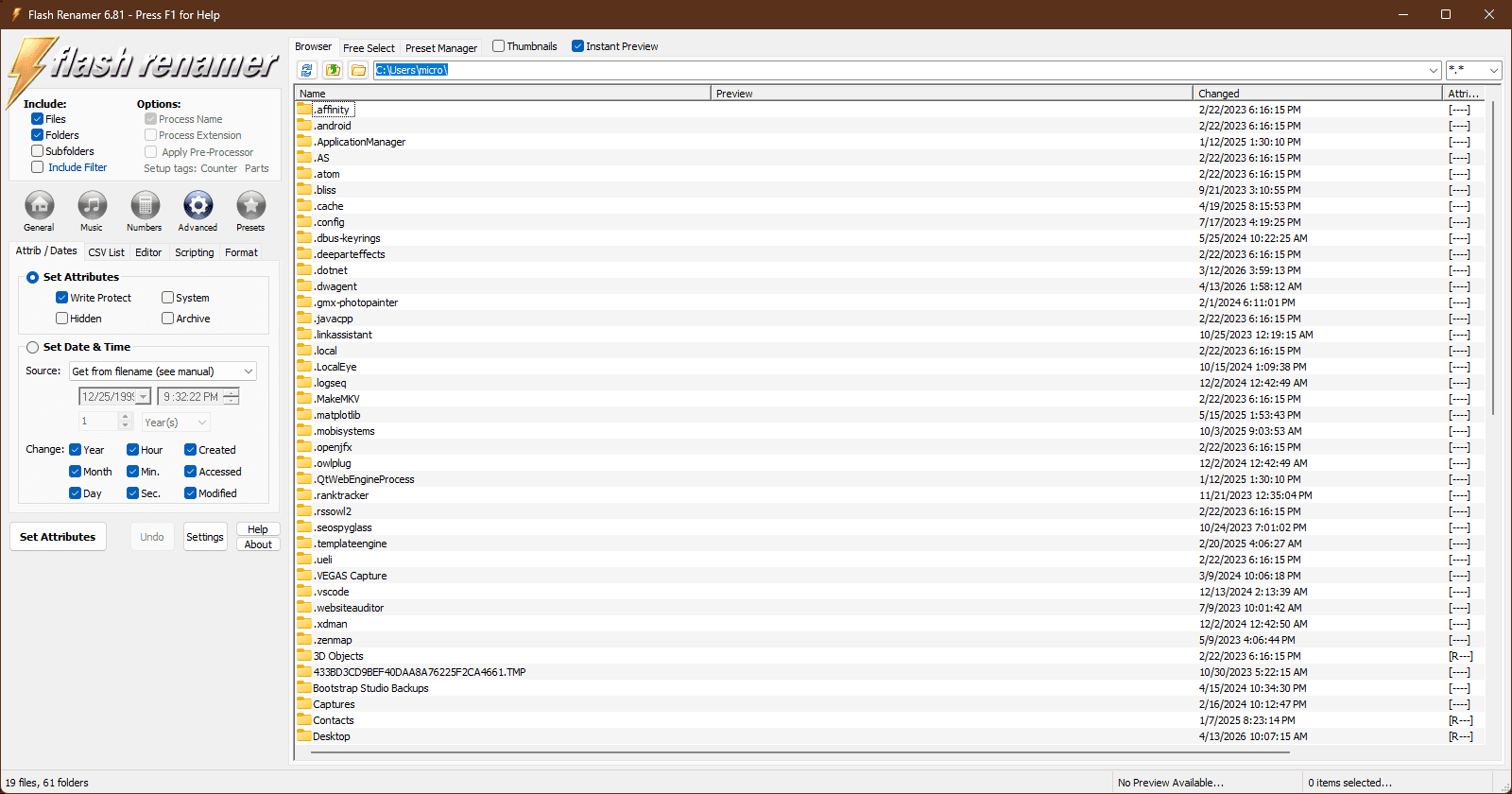
Flash Renamer is a powerful utility designed to batch rename files and folders quickly and efficiently. As organizations and individuals grapple with large volumes of digital data, software tools like Flash Renamer become invaluable. In this review, we delve into the features, pros and cons, and overall usability of Flash Renamer, providing an in-depth software review that will help potential users make informed decisions.
Overview of Flash Renamer
Flash Renamer, a flagship product of RL Vision, stands out as an indispensable tool for individuals and businesses alike that require efficient file management. Known for its intuitive interface, Flash Renamer simplifies the often daunting task of batch renaming files, transforming what might be a cumbersome chore into a streamlined process. With the capacity to handle a diverse range of file formats, this software caters to users who need to rename anything from MP3s to digital photos.
One of the most touted features of Flash Renamer is its flexibility in customizing file name patterns. Users can leverage this tool to incorporate specific elements such as dates, numbers, and even custom text into file names effortlessly. It's akin to giving your files a wardrobe makeover; they may still be the same files, but now they’re dressed to impress!
Supports numerous file formats including MP3s, JPEGs, and more.
Advanced formatting options for meticulous file organization.
Automate repetitive tasks with script support and command-line functionality.
The software’s ability to modify file properties extends beyond simple renaming. Flash Renamer allows users to adjust attributes like timestamps and capitalization, enhancing the organization and searchability of files. For instance, imagine your music collection revamped with consistent naming conventions — it's like orchestrating a symphony of harmony in your file directory!
"The power of Flash Renamer lies in its flexibility and ease of use, making it a vital tool for file management." — A satisfied user
In a digital age where 90% of consumers read online reviews before visiting a business, maintaining a well-organized digital presence can be crucial. Flash Renamer provides a robust solution for this, catering to the meticulous organizer in all of us. Whether you’re a professional needing to keep projects in order or an individual wanting to tidy up personal digital clutter, Flash Renamer proves to be an excellent choice for a software tool that bridges ease of use with comprehensive functionality.
Features and Functionality
Flash Renamer stands out in the crowded field of file management software with its extensive suite of features designed to address the varied needs of users looking to streamline their file renaming processes. Below, we delve into the key functionalities that make Flash Renamer a noteworthy contender in software review forums and websites.
Batch Processing: One of the pillars of Flash Renamer’s utility is its batch processing capability. This feature enables users to rename multiple files simultaneously, drastically cutting down on the time and effort required for manual renaming tasks. Whether organizing a collection of photographs or renaming documents for a project, this functionality ensures efficiency and accuracy. It's akin to having a personal assistant who doesn't need coffee breaks.
Customizable Patterns: Flash Renamer allows for the creation of complex renaming patterns. Users can manipulate text, numbers, dates, and more to suit their specific organizational needs. This flexibility is particularly beneficial for professionals who handle large volumes of files and require a tailored approach to file management. Imagine renaming a thousand files with a wave of a digital wand—Flash Renamer makes it possible.
Preview Functionality: Mistakes can happen, especially when dealing with large sets of data. Flash Renamer’s preview feature addresses this by allowing users to view the changes before finalizing them. This functionality acts as a safety net, ensuring accuracy and reducing the risk of errors. As the famous saying goes, "Measure twice, cut once." In the digital realm, we might say, "Preview twice, rename once."
Multi-format Compatibility: The software supports a wide array of file types, catering to various industries and professional fields. Whether dealing with JPEGs, PDFs, or video files, Flash Renamer's compatibility ensures a seamless experience. This versatility is like having a Swiss Army knife for file renaming, fully equipped to handle files from various sectors.
Undo Option: In our pursuit of digital perfection, mistakes are inevitable. Flash Renamer offers an undo option that allows users to revert changes if needed, thus maintaining data integrity. It's comforting to know that Flash Renamer has your back, offering an escape route when you need it most.
Flash Renamer is a powerful tool that offers a combination of robust features and user-friendly functionality. For those interested in more detailed software reviews or comparisons, platforms like TechRadar and CNET are excellent resources for in-depth software analysis and user feedback. As renowned software expert Linus Torvalds once said,
"Software is like sex: It's better when it's free."
While Flash Renamer may not be free, its features certainly provide value that’s hard to beat.
Software Evaluation and User Experience
Flash Renamer has undoubtedly earned its place in the software hall of fame, thanks to its user-friendly interface and exceptional performance. Users have consistently praised this tool for its ability to make batch renaming tasks not just bearable, but almost enjoyable. For those unfamiliar with the laborious task of renaming files one by one, Flash Renamer comes as a digital savior, providing a streamlined, efficient process.
The software's intuitive design allows users to easily navigate through its features, with a learning curve that seems to have been designed with the user's convenience in mind. Whether you're a novice just getting started with file management or an advanced user looking to save time, Flash Renamer makes the experience as seamless as possible. This tool's capability to process tasks quickly while conserving system resources is a testament to its refined engineering.
Perhaps one of the most appreciated aspects of Flash Renamer is its speed. Users have noted the reduced time taken to complete tasks, attributing this to the software's efficient processing power. This is particularly beneficial in professional environments where time is of the essence. As one user humorously remarked, “Using Flash Renamer is like having a personal assistant who never asks for coffee breaks.”
Moreover, the software provides several customizable options, catering to a variety of user needs. These include:
Customizable batch processing scripts
Regular expression support for advanced renaming options
Ability to preview changes before applying them
This flexibility, combined with its robust performance, makes Flash Renamer a versatile tool suitable for diverse applications. Furthermore, the software's low impact on system resources ensures that it runs smoothly on most machines without causing any significant slowdowns.
In conclusion, Flash Renamer's mix of usability and power makes it a standout choice among file renaming tools. It offers an excellent user experience, as reflected in positive software ratings and feedback across various software review platforms. To explore more about Flash Renamer, visit their official site for a comprehensive overview.
"Flash Renamer is the unsung hero of digital housekeeping, making file management a breeze." – Anonymous User Review
Pros and Cons
When conducting a software assessment, it's crucial to weigh the benefits against the drawbacks:
Pros:
Efficient batch processing capabilities.
Highly customizable renaming options.
Supports a wide variety of file types.
Responsive customer support and regular updates.
Cons:
Limited integration with other software tools.
Absence of a mobile version.
Comparison with Similar Software
In a software comparison with other renaming tools such as Bulk Rename Utility and Advanced Renamer, Flash Renamer stands out for its user-friendly interface and powerful features. While some competitors offer more integrations, Flash Renamer excels in performance and ease of use.
Conclusion: Is Flash Renamer Worth It?
For individuals and organizations seeking an efficient and reliable file renaming solution, Flash Renamer presents a compelling option. Its combination of powerful features and ease of use makes it a strong candidate in the realm of software review articles. While it may lack certain integrations, its strengths in batch processing and customization make it a valuable tool for managing large volumes of files.